Your accountant runs the books.
You just talk.
Your accountant uses VoiceAccountant. Get the app, say what you spent or snap the receipt, and it goes straight to them, already sorted. No spreadsheets, no forms, no shoebox of receipts in April.
Got an invite code? Type it into the app once it's installed. It's free to start.
Three steps
Set up in a minute, then forget about it.
Install the app
Get VoiceAccountant free from the App Store or Google Play.
Connect to your accountant
Open the link they sent, or type the short code they gave you. The app connects to their firm on its own.
Capture as you go
Say what you spent, or snap the receipt. Your accountant gets it, sorted and ready.
What you get
Bookkeeping that takes five seconds.
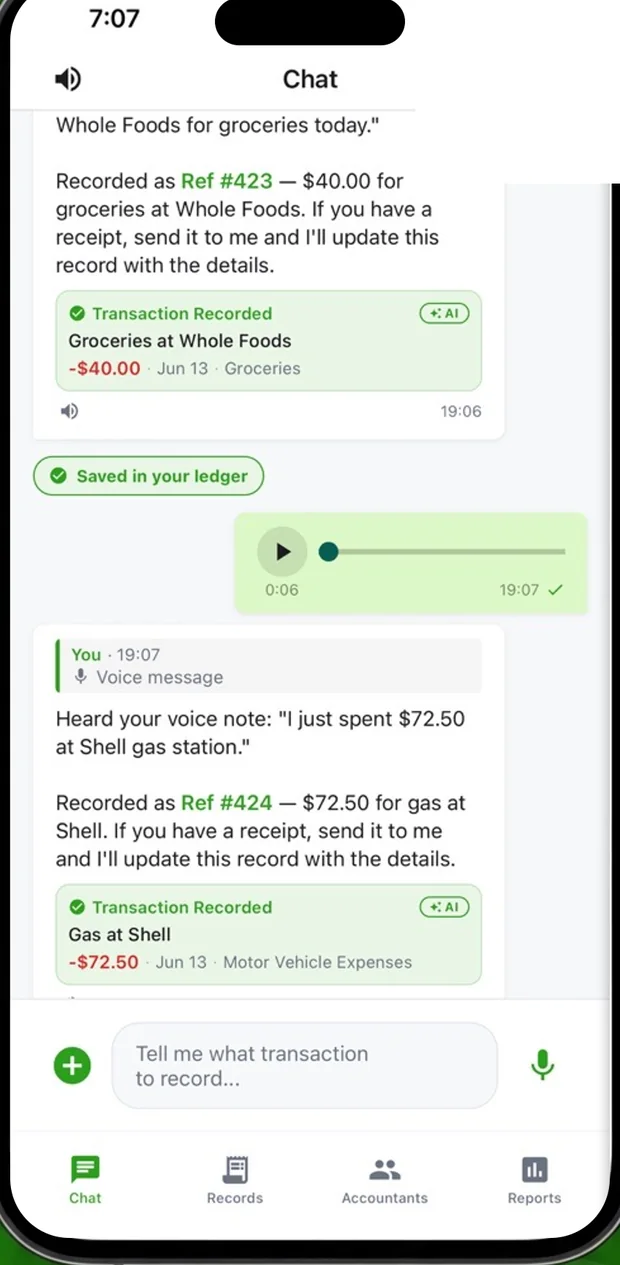
Just say it
You talk, it becomes an entry.
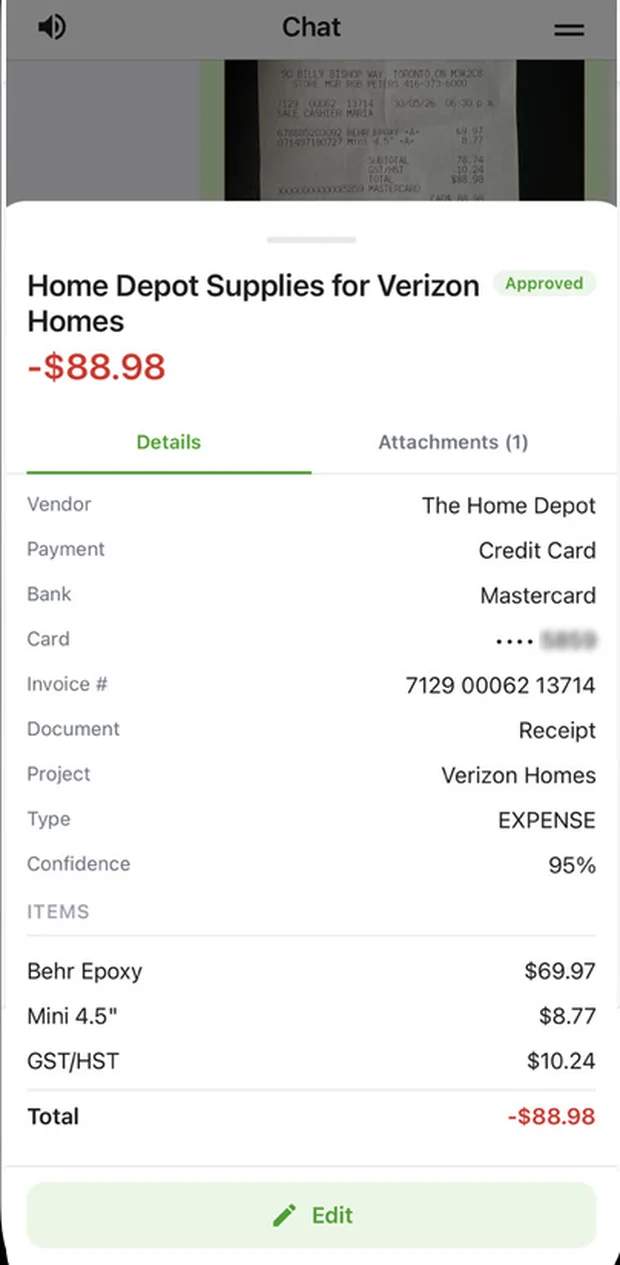
Snap a receipt
The AI reads the vendor, tax and total.
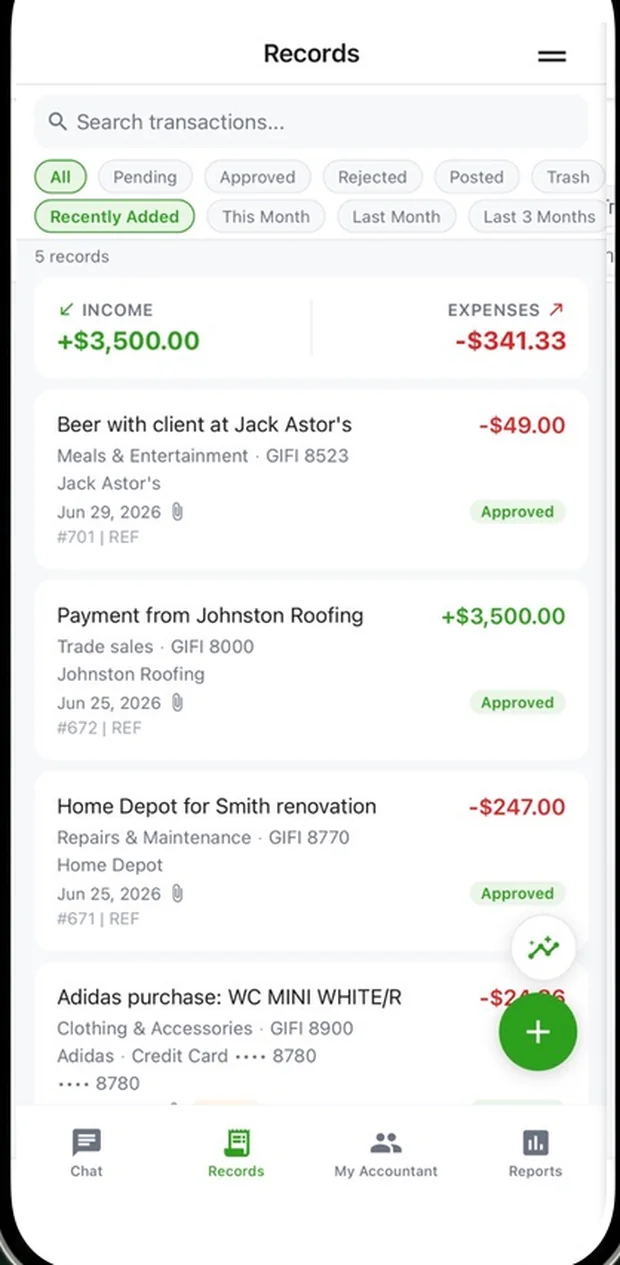
See your records
Everything you've sent, in one place.
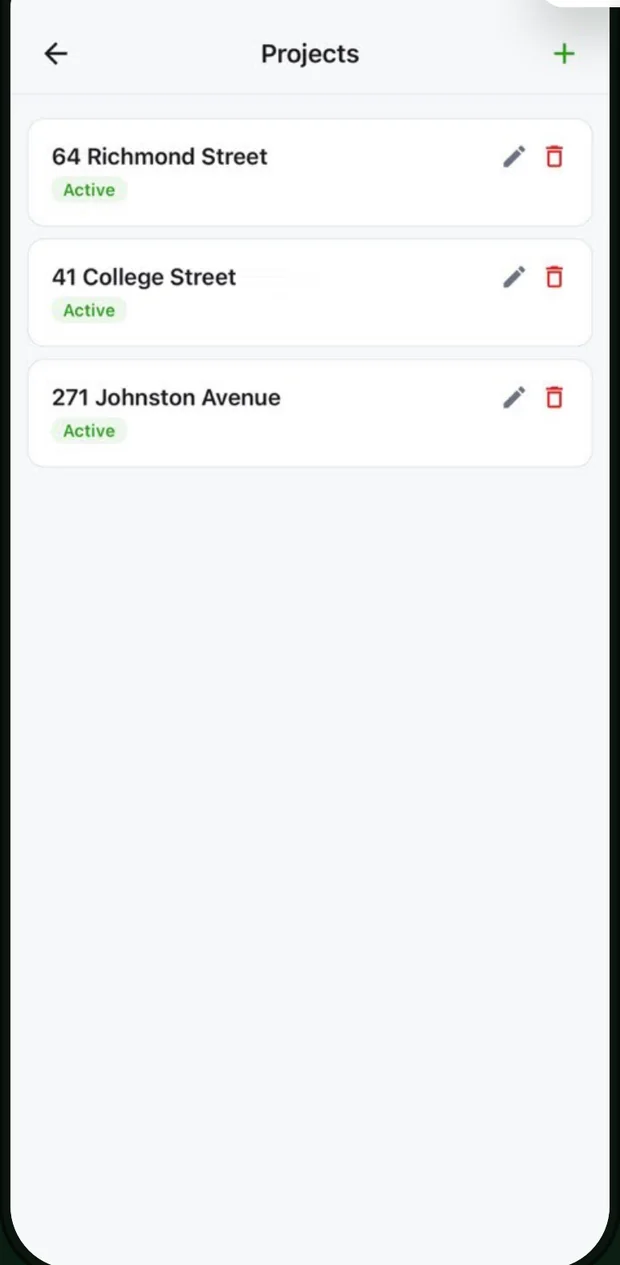
Sorted by project
Name a job once, and its costs group themselves.
FAQ
Good to know.
My accountant told me to get this. What do I do?
Install VoiceAccountant from the App Store or Google Play, then open the invite link your accountant sent, or type the short code they gave you. The app connects to their firm on its own. After that, just record things as they happen and they go straight to your accountant.
What can I send?
Say an expense out loud, snap a photo of a receipt, or send a PDF, a Word document, plain text or a voice note. The AI reads it and turns it into a record your accountant checks.
Is it free?
It's free to start. A Pro subscription (about $14.99 a month) unlocks unlimited AI capture and CSV and Excel export.
Does my accountant see everything?
Your accountant sees the transactions and documents you send, and can message you in the app. You get to check each record before it's final.